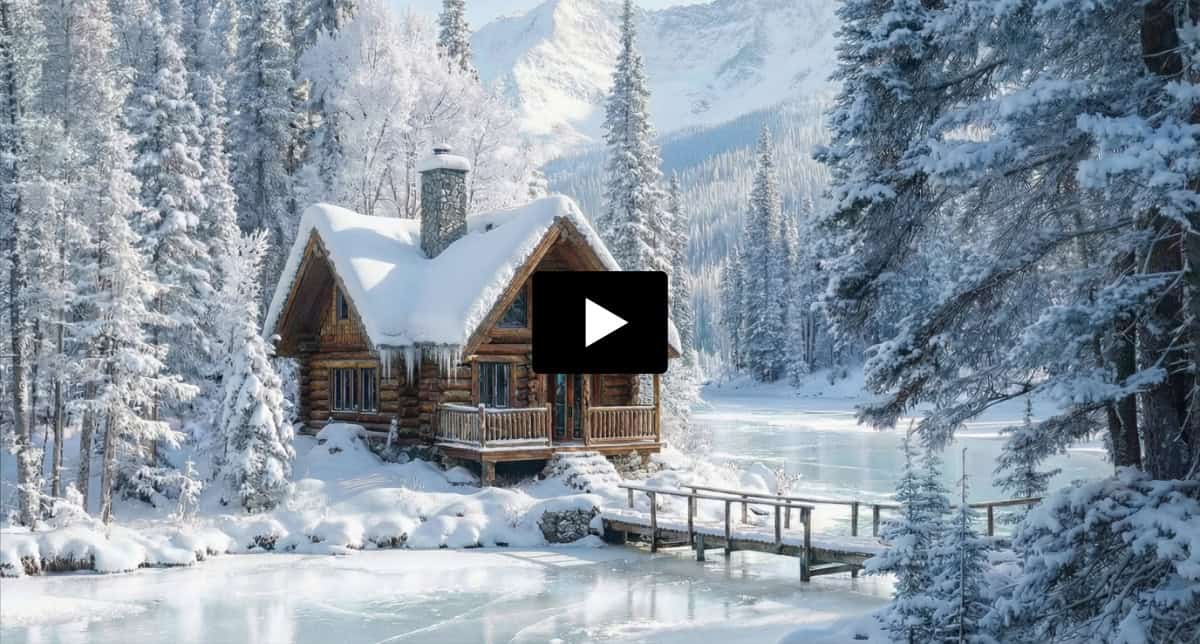
The Photo Was Shot in July. The Campaign Needed Winter.
You can’t photograph snow that hasn’t fallen yet. And nobody’s volunteering to spend ten hours hand-painting a blizzard in Photoshop. I’ve done it. It was the kind of job that started optimistic on a Monday morning and ended somewhere around Thursday with a sore wrist and serious regret.
Your client’s mountain cabin is finished. Construction wrapped, the landscaping is in, the lake out front looks great. One problem — it’s July, and the winter booking campaign launches in a few weeks.
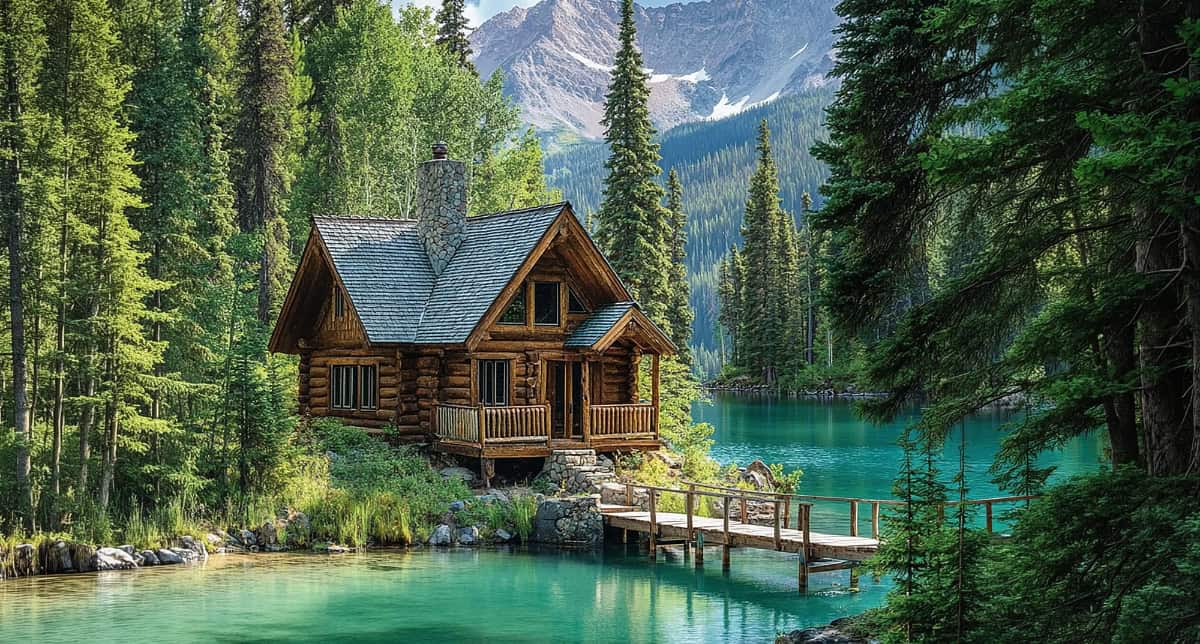
So here’s how to do it differently — using AI the way a VFX team uses matte painting. Change the season. Fill in what’s missing. Ship the campaign. Preferably before Thursday.
In film work, when a VFX team receives live-action footage, they call it the plate. The plate is sacred. You don’t touch it. You don’t describe it. You only add to it.
Same idea here. If you don’t mention the cabin in the prompt, the AI won’t try to rebuild it. You’d think that would be obvious, but it took me a few unsolicited renovations before I figured it out. Describe the building and the AI decides it’s been hired as an architect. Your client didn’t spend six figures on construction to have a generative model play designer.
So the prompt stays addition-only. Nothing about the cabin. Nothing about the architecture. Just what needs to change around it: “Add heavy winter snow to the ground and trees. Lake surface is partially frozen.”
The first pass came back better than expected. Snow coverage on the ground and trees looked solid. But two things weren’t right, and they’re both worth looking at — because they’re the kind of problems that separate a quick AI output from something that actually holds up in a campaign.
The lake was having an identity crisis.
Look at the original summer shot. Dark green reflections from the pines, warm tones, everything reads July. The AI changed the season above the waterline — snow on the ground, frost on the branches — but the reflections were still caught halfway between summer and winter. Your eye picks up on that instantly, even if you can’t explain why. We’re surprisingly good at spotting when reflections don’t match the scene they’re supposed to be reflecting.
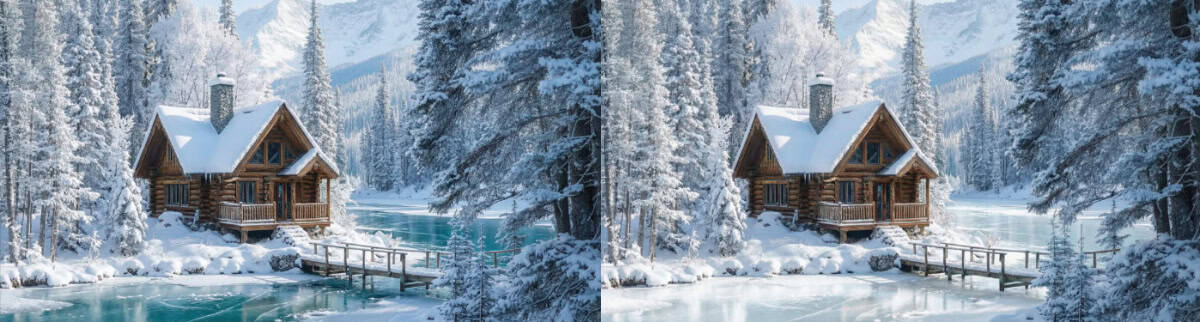
You could try reprompting the whole image and hoping the AI sorts the reflections out on its own. Ask me how that usually ends.
Instead, I used Freepik’s visual editor to target just the lake and brighten the reflections so they read as snow-covered trees instead of dark summer pines. You’re not replacing the mirror surface — the lake still reflects. It just reflects the right season now.
That’s a small move. But it’s the kind of thing that makes the whole image hold together. When the reflections match the sky and the treeline, your brain stops questioning the scene. The old way to do this was painting in new reflections by hand, flipping layers, color-matching every tone. I don’t miss it.
The eaves had no snow. The AI had opinions about that.
The second issue was the roofline. Any real cabin sitting through weeks of snowfall has a shelf of white packed on the roof under the eaves. This one didn’t. So I went back to the image editor and prompted for snow under the roofline.
The AI completely ignored me. Didn’t even pretend to try. Instead of snow under the eaves, it dropped a thick layer right on top of the roof.
Which I didn’t ask for. But look at it. The snow on the roof looks heavier, the whole scene feels colder, and it adds the kind of buildup that makes you believe this place has been sitting under snowfall for weeks. This is one of those things you learn after years of working with images — when something unexpected shows up, look at it before you undo it. The AI didn’t listen to me, but it wasn’t wrong. Sometimes the mistake is the shot.
But the eaves still had no snow. And I’d already spent more time arguing with the AI about this one detail than it deserved.
This is the moment where a lot of people get stuck. They keep prompting, keep generating, keep hoping the next attempt will nail it. It won’t. I’ve tried. The AI had made its feelings about eaves very clear. So stop fighting and finish it yourself.
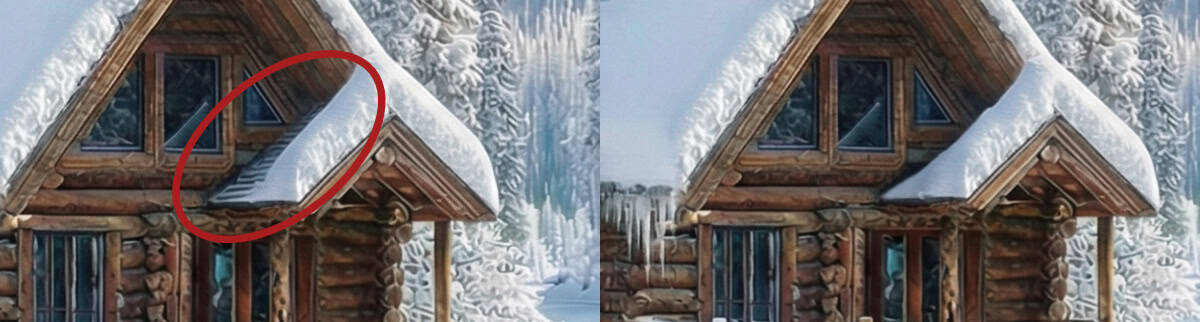
I pulled the image into Photoshop. Lasso tool around the eaves, Generative Fill for the broad areas, Clone Stamp to tighten up the edges. Three minutes, maybe four.
A summer photo turned into a winter campaign asset. No six-month wait for actual weather. No ten-hour retouching marathon. The AI handled the heavy environmental work — snow coverage, frozen lake surface, seasonal light. Production judgment handled the rest — correcting reflections that didn’t match, accepting a happy accident on the roof, and finishing a detail yourself when the AI starts negotiating with you about what it’s willing to do.
Here’s the full build if you want to see the workflow in real time.